Monster Government Solutions — Talent Intelligence Platform
Overview
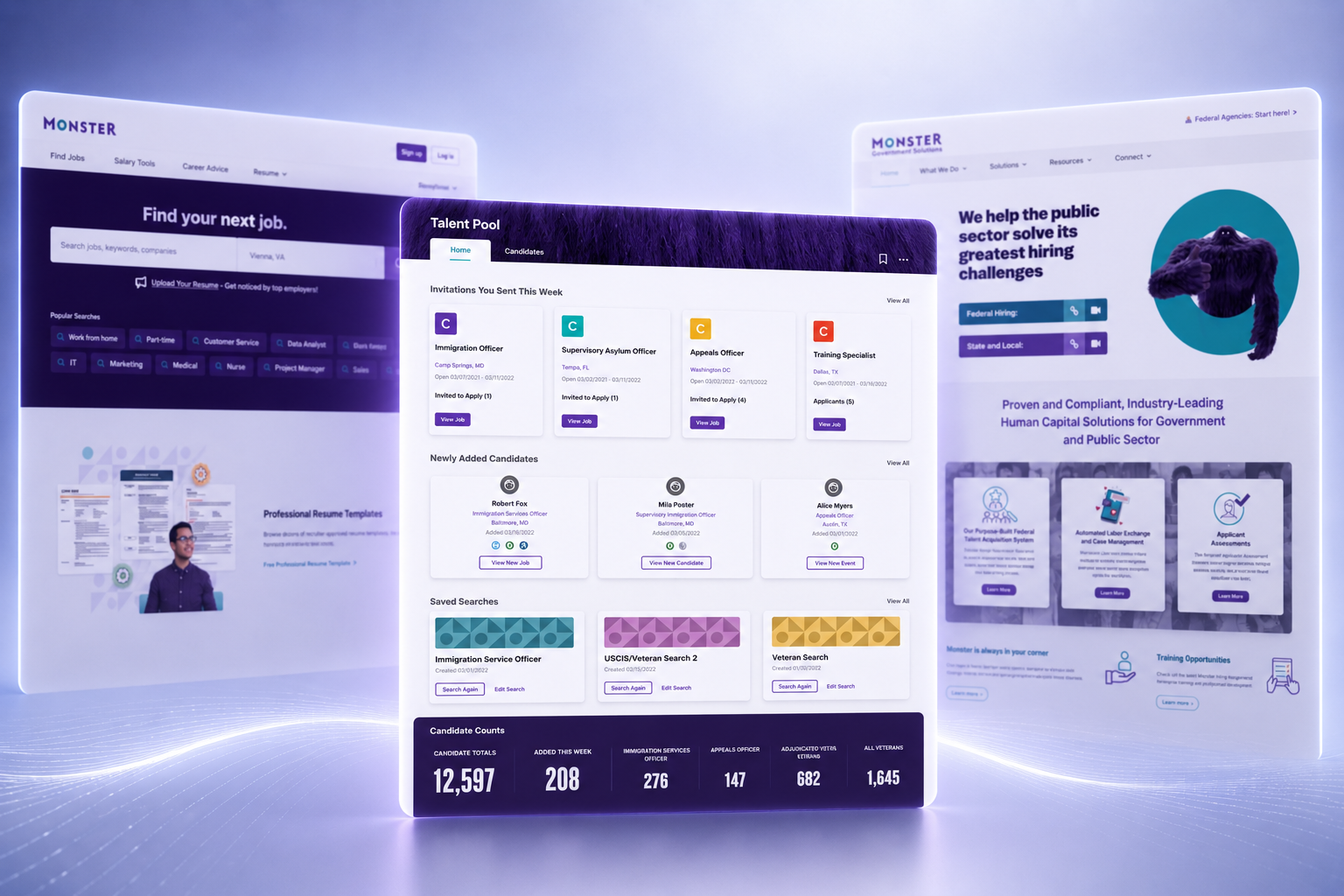
Monster Government Solutions envisioned a new Talent Intelligence Platform that would connect recruiters, candidates, and enterprise recruiting systems through a unified experience. Designed to integrate with the broader Monster ecosystem, the platform shared data across products while establishing its own interaction patterns, workflows, and visual language.
Working closely with Product Owners and Engineering, I translated the product vision into a scalable enterprise platform by defining its information architecture, interaction model, and shared experience patterns from the ground up.
Defining the Platform Blueprint
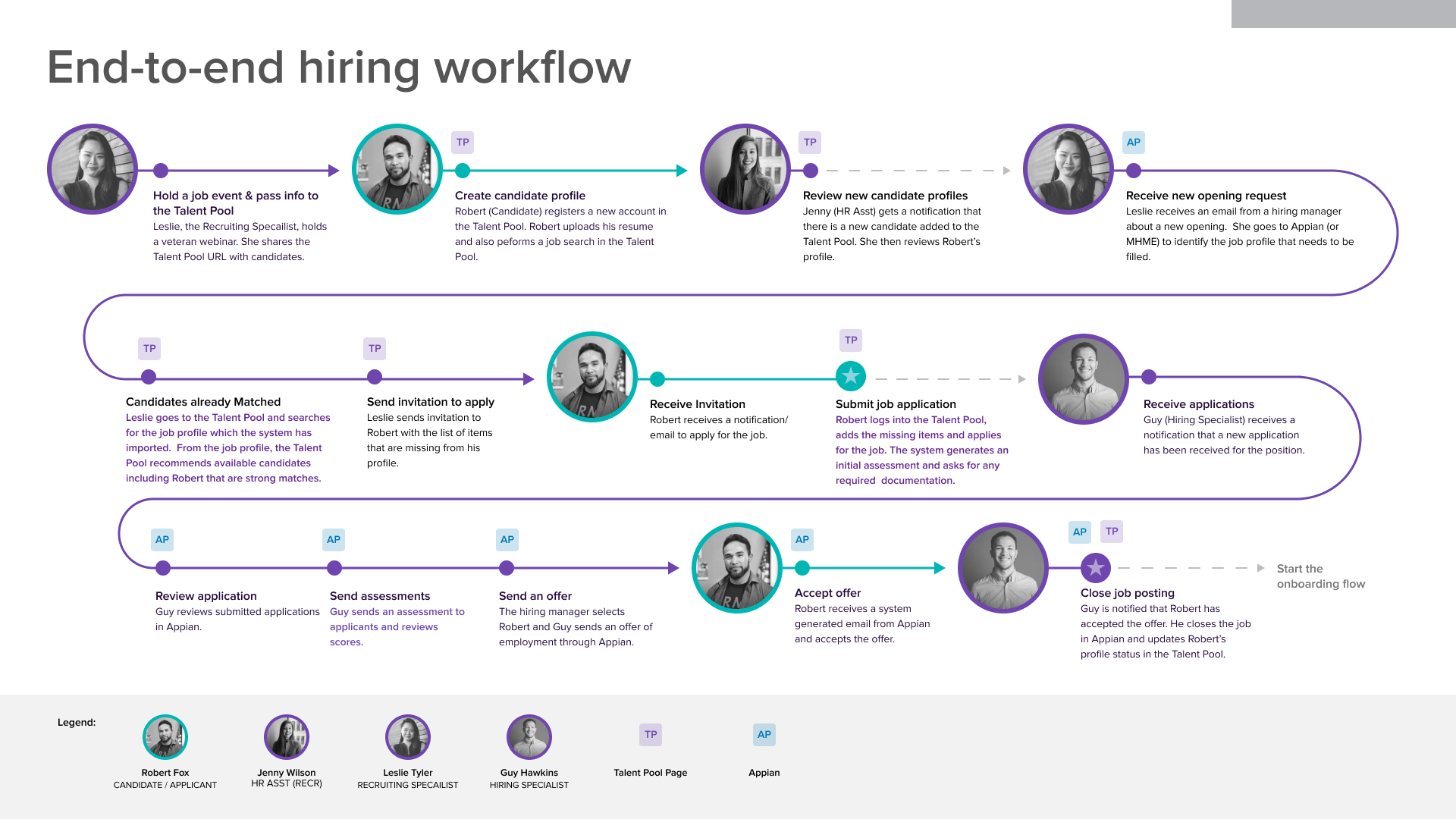
Before designing the interface, I partnered with Product Owners to map the complete hiring workflow. The map documented how recruiters, candidates, and enterprise systems exchanged information, explicitly pinpointing where handoffs, legacy tools, and disconnected data slowed down government recruitment.
Supporting Enterprise Operations
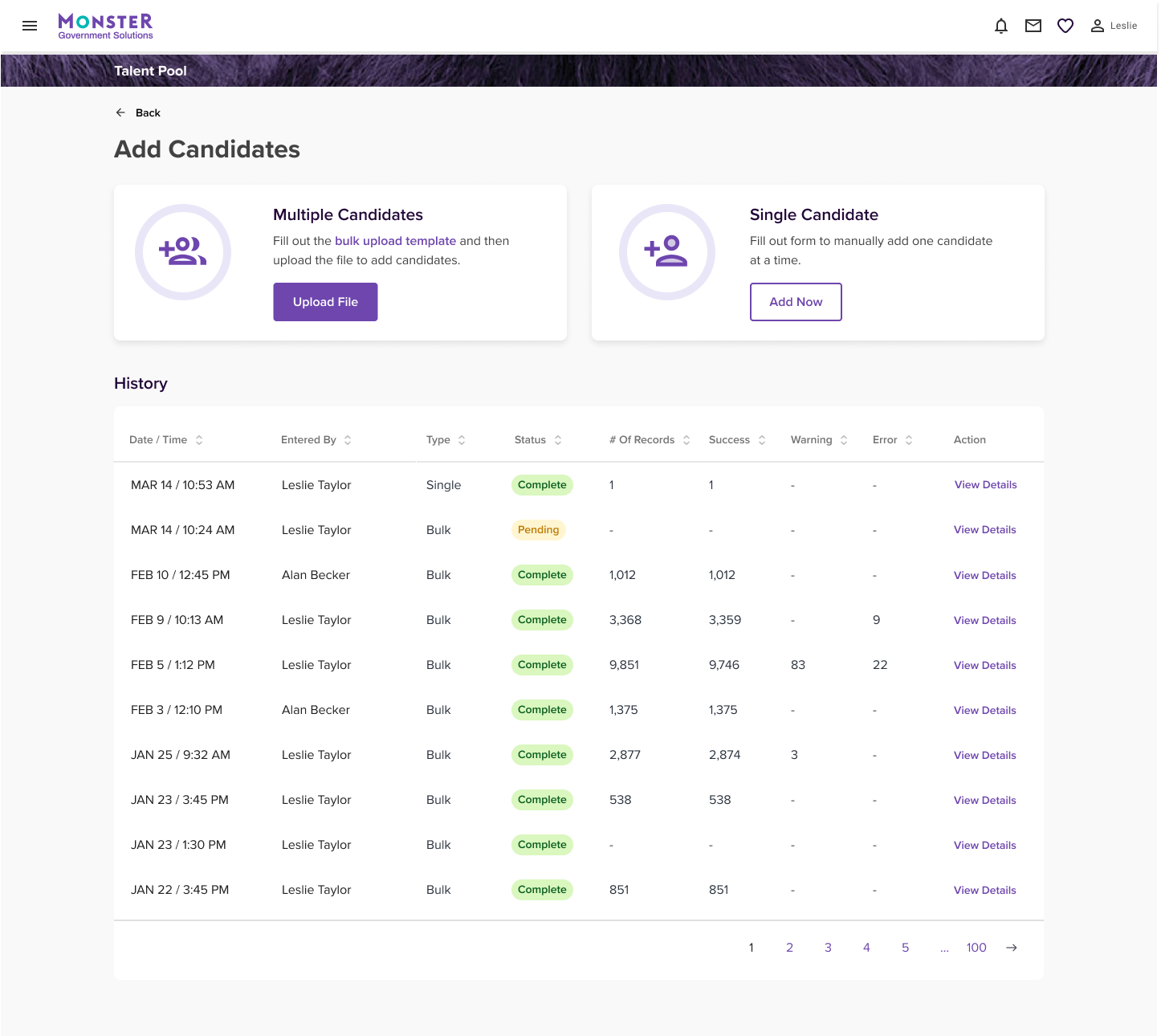
One of the core structural challenges we tackled was bulk applicant intake. Recruiting assistants regularly imported large, inconsistent files from hiring events and campaigns. I designed an upload workflow featuring real-time validation, clear error messaging, status tracking, and processing history so teams could find and fix problems upstream before records entered the talent pool.
Workflow into the Platform
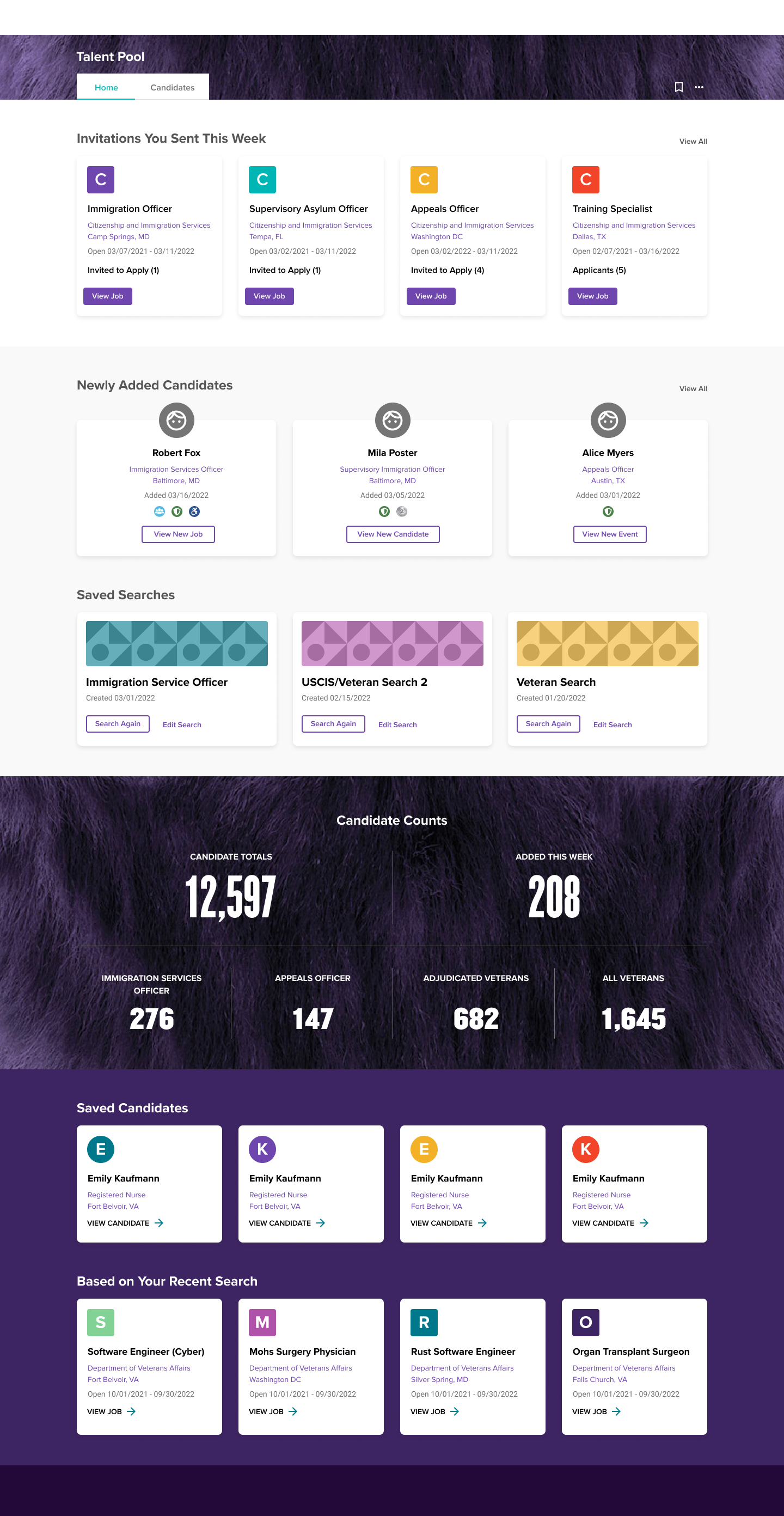
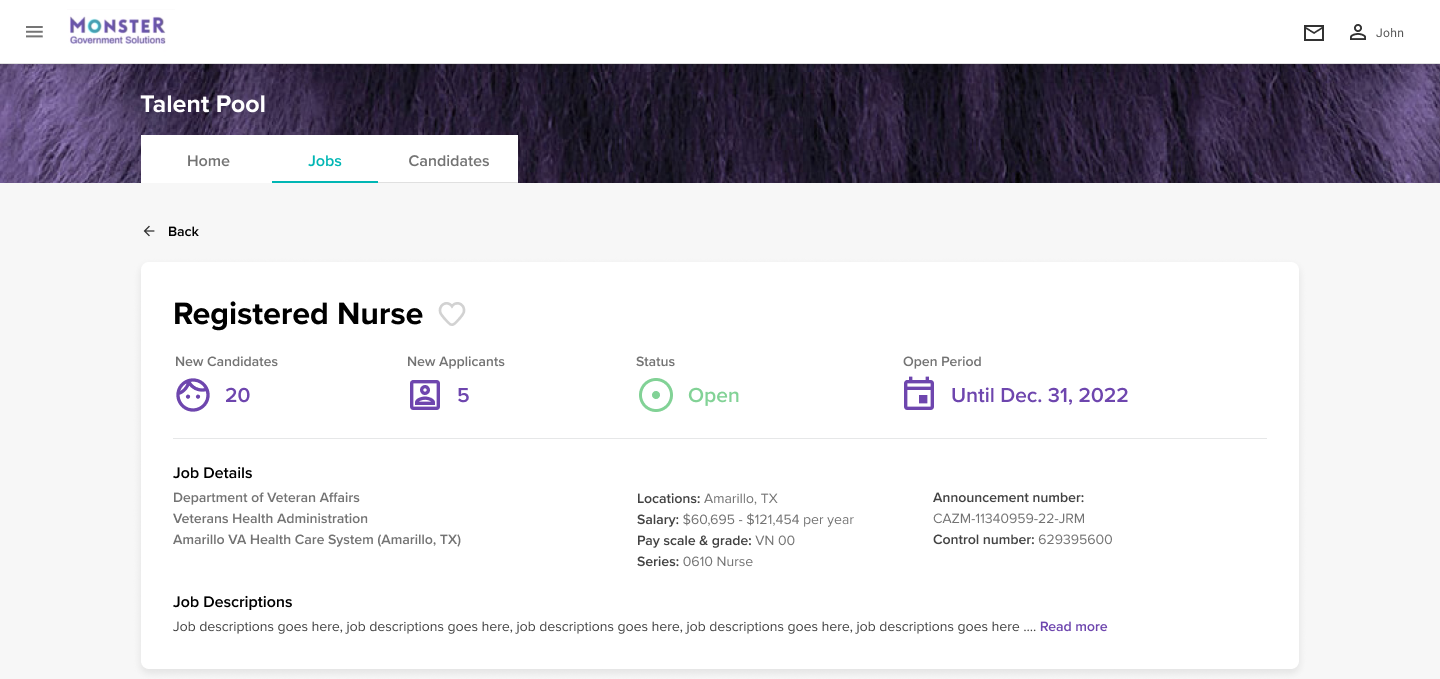
I used the workflow map to structure the platform around recruiters’ actual daily tasks. I designed a centralized dashboard and established shared patterns for navigation, filtering, and page structure, enabling recruiters to move fluidly between talent pools, recommendations, and candidate searches without losing context.
Designing Recruiter Workflows
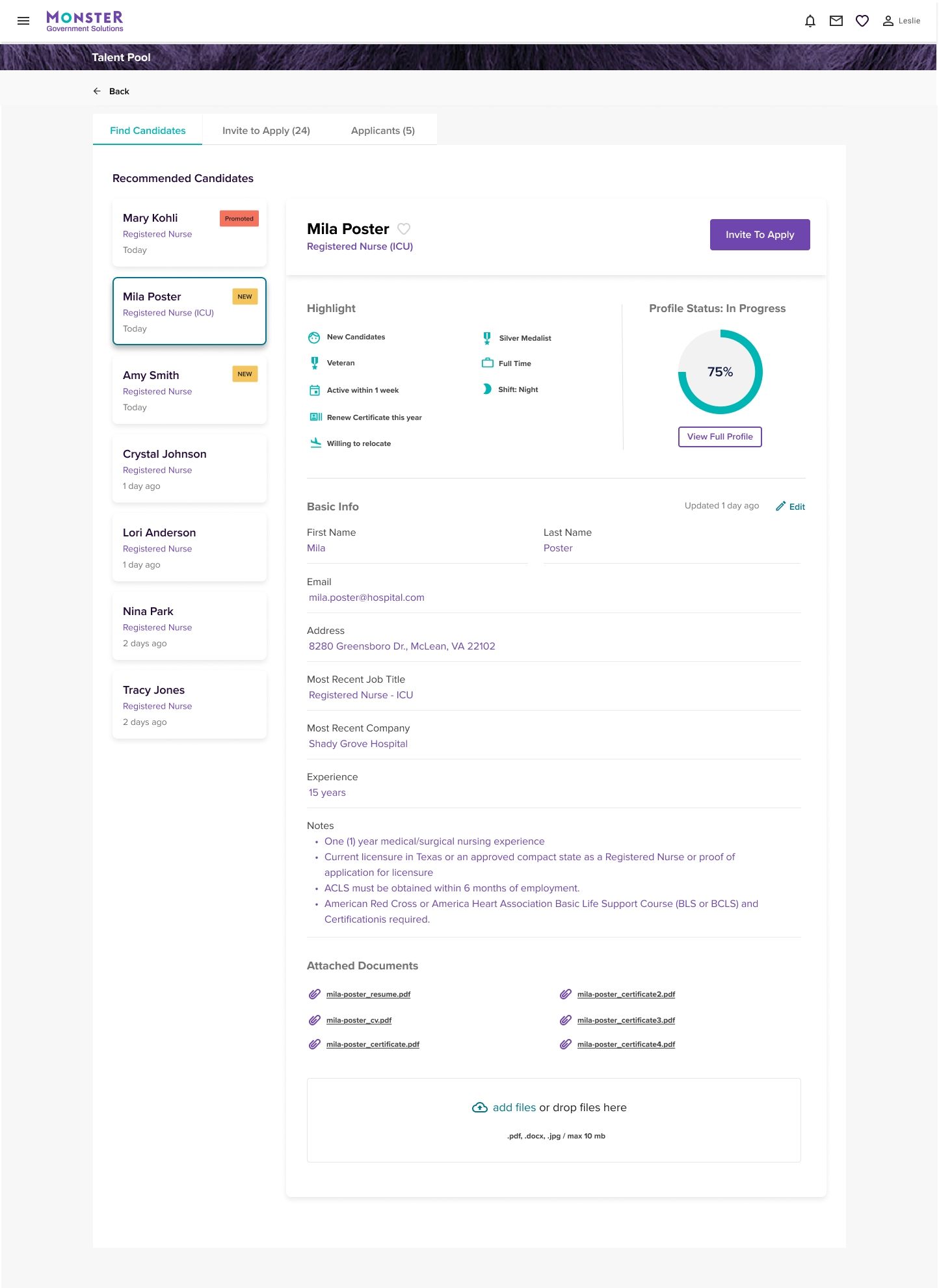
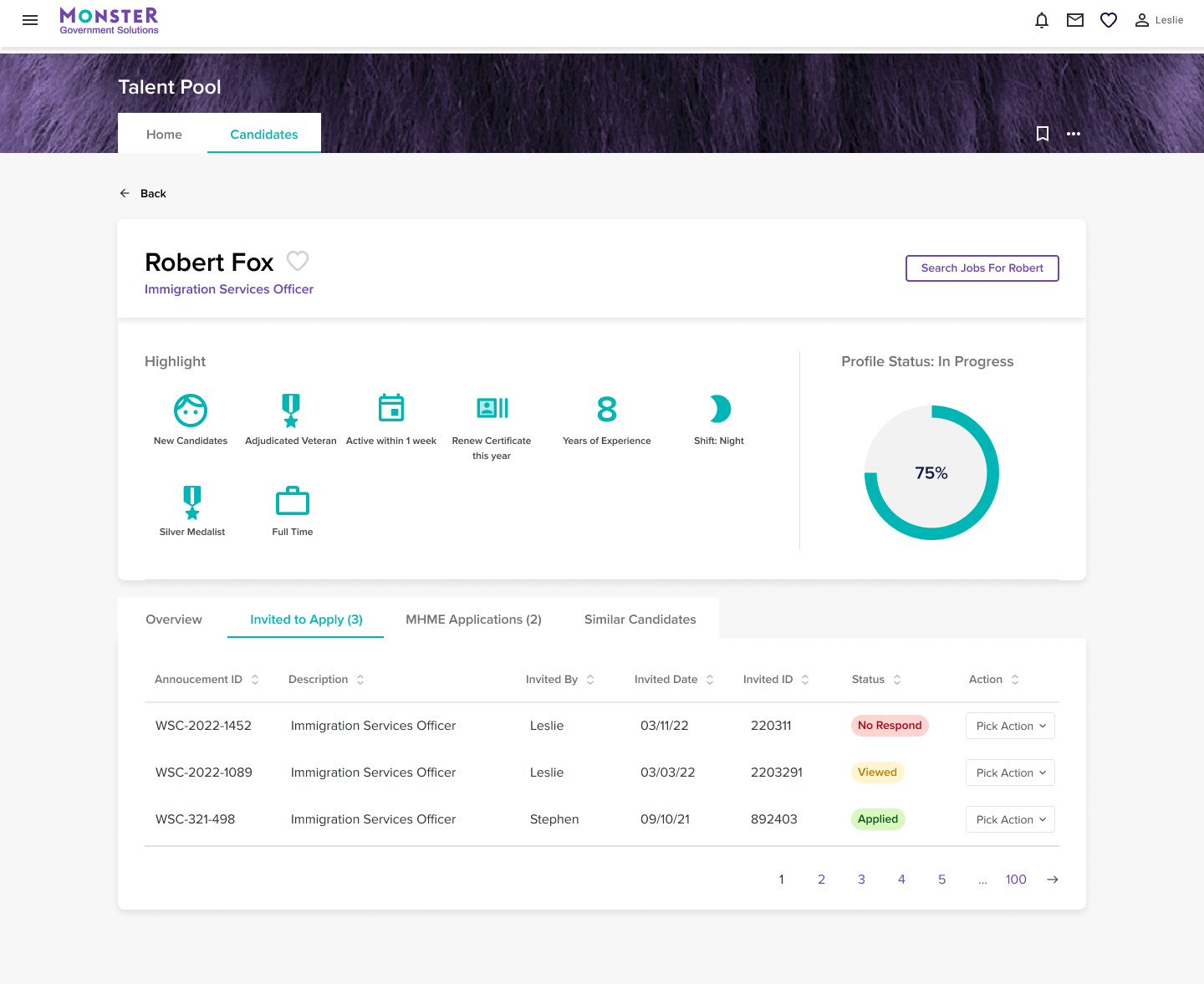
Search and candidate profiles were built as a continuous evaluation workflow, allowing recruiters to navigate seamlessly between search results and candidate details. Candidate information was intentionally organized around the data signals most critical to hiring decisions, keeping supporting data accessible without visual clutter.
Product Suite Alignment
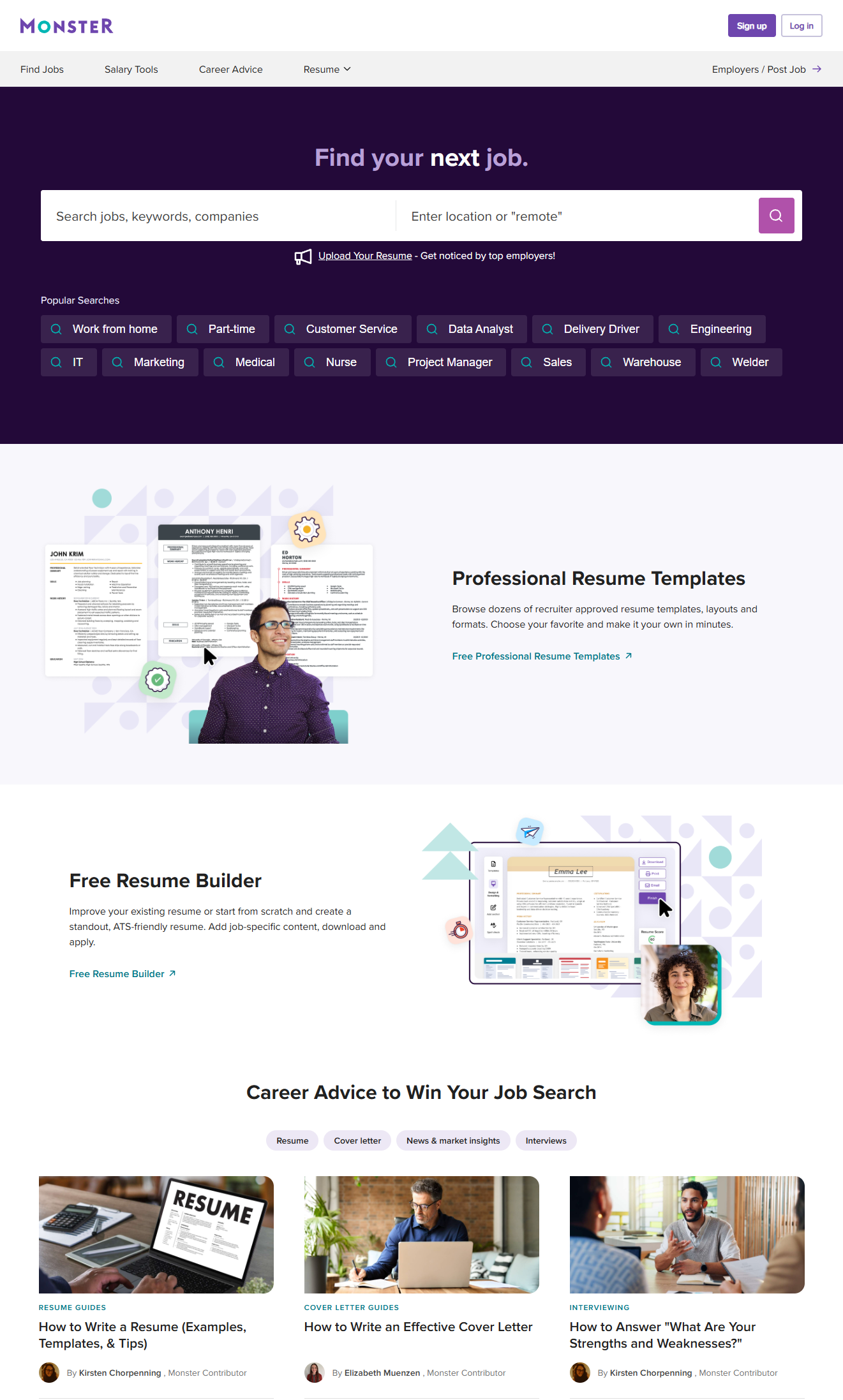
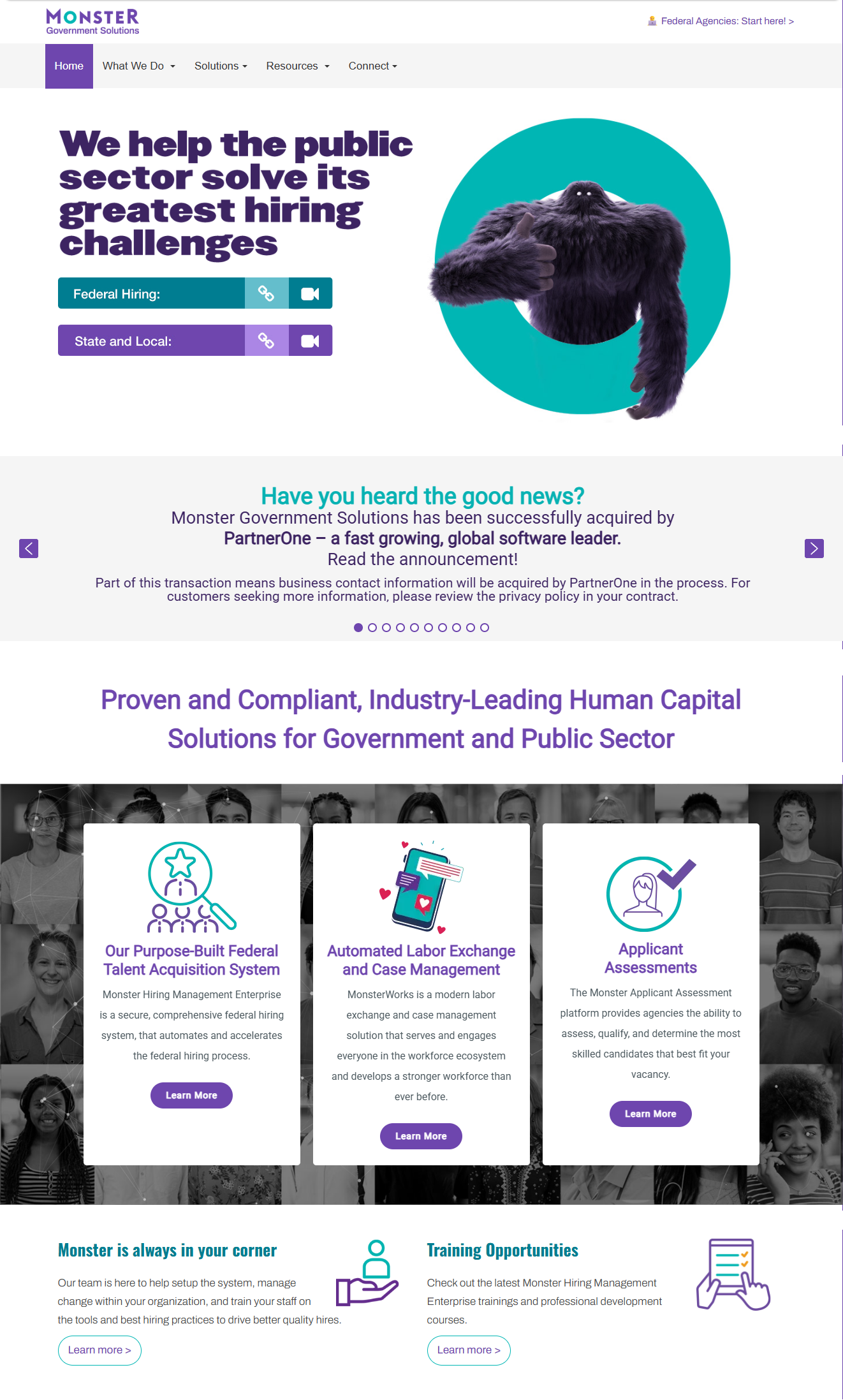
While Monster Government Solutions served a specialized public-sector workflow, it needed to feel cohesive within the broader Monster product ecosystem. By aligning core visual foundations including typography, iconography, and color application with the umbrella Monster style guide, I created a cohesive bridge between commercial and government offerings while honoring the distinct functional needs of enterprise recruiters.
Impact
- Designed a unified platform from scratch: Replaced fragmented legacy tools with a cohesive experience architecture tailored for federal recruiters.
- Solved complex data intake: Built robust bulk-upload validation and error-handling flows that prevented messy external data from breaking pipeline operations.
- Established scalable patterns: Created core navigation, search, and dashboard components that maintained consistency across multiple product areas.
- Delivered in a complex domain: Navigated enterprise GovTech constraints to ship a scalable recruitment platform alongside Product and Engineering partners.