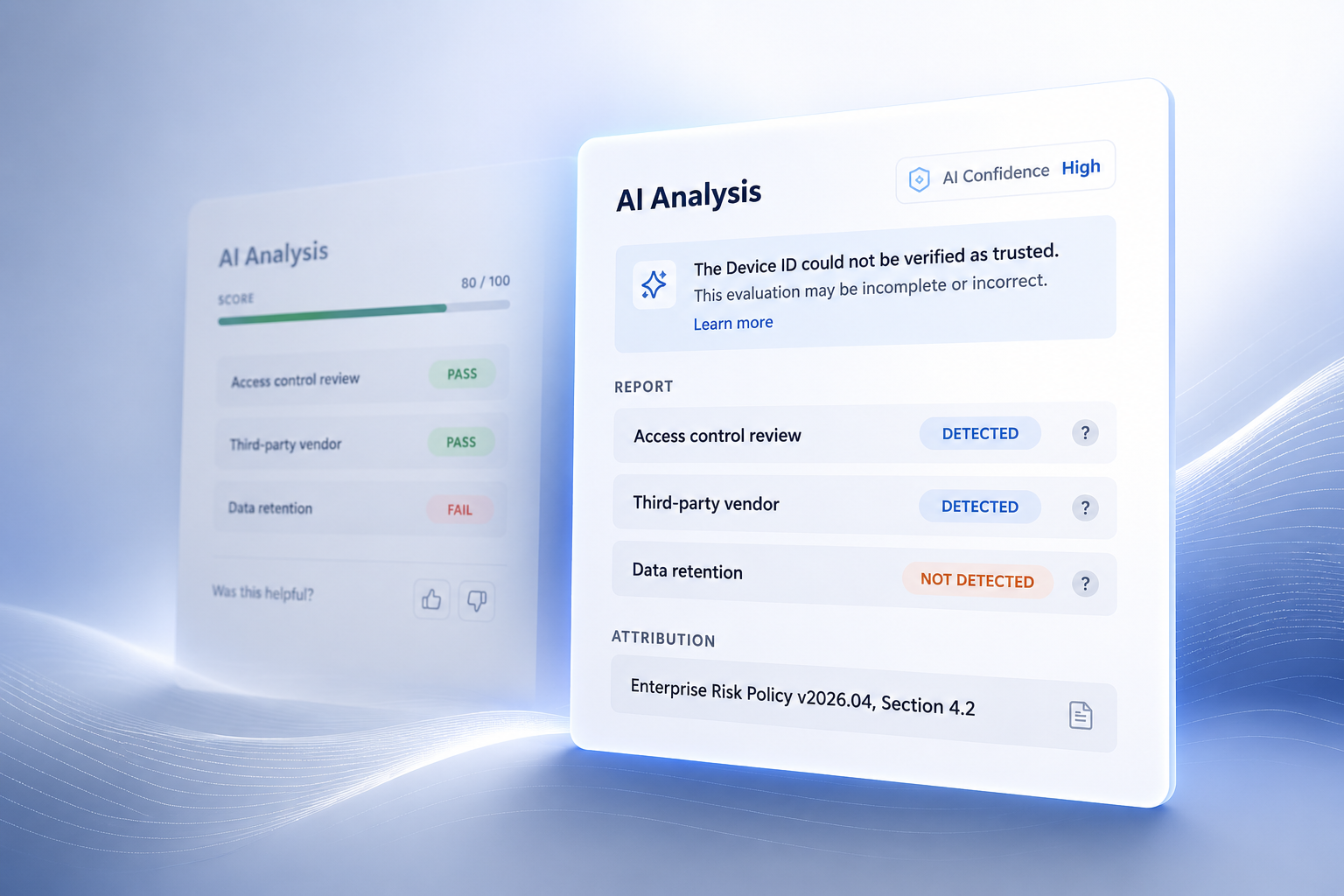
Capital One — AI-Powered Decision Support
Building Capital One’s first human-in-the-loop AI feature for its risk management platform and defining reusable interaction patterns for future AI systems.
Overview
I designed and integrated an AI-assisted evaluation tool into Capital One's risk management platform to improve data quality at the point of entry. The work delivered a production decision-support feature and defined reusable AI interaction patterns to support consistency across future features in the platform.
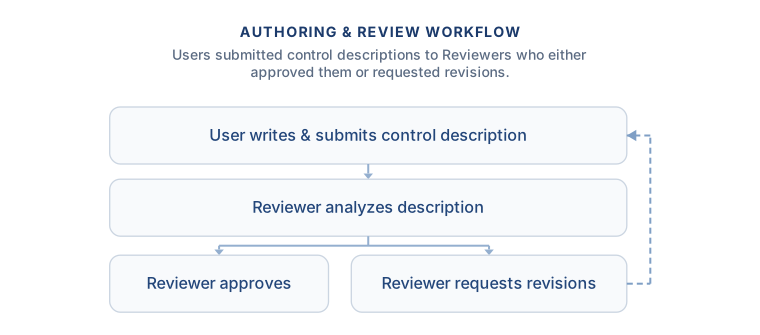
Traditional Workflow
Analysts were responsible for writing complex control descriptions that had to satisfy evolving compliance requirements. Quality issues were often identified only after submission, creating a reactive workflow that required revisions after Reviewer analysis. This delayed validation increased uncertainty, slowed delivery, and allowed quality issues to propagate downstream.
AI-Assisted Workflow
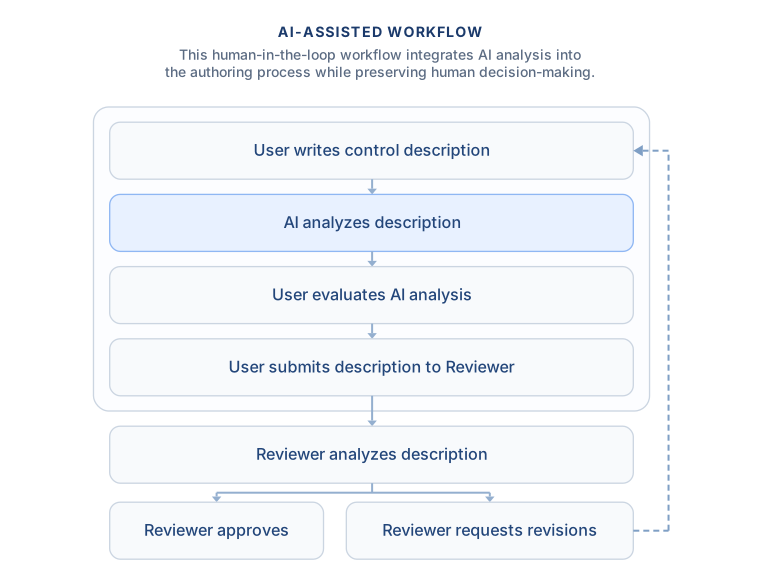
I redesigned the workflow by embedding AI evaluation directly into the authoring experience. Instead of discovering quality issues after submission, analysts receive immediate feedback while writing, allowing them to resolve issues earlier while preserving human decision-making.
Design Strategy
The AI interaction model was guided by four design principles. Each principle was translated into concrete interaction patterns that balanced usability, explainability, and responsible AI communication.
| Design Principle | UI Implementation |
|---|---|
| Embed AI into the workflow | Integrated AI evaluation directly into the authoring experience instead of a separate workflow or chat interface. |
| Communicate AI responsibly | Defined AI confidence, scope, status terminology, and color semantics to communicate AI findings without implying certainty or correctness. |
| Support informed decision-making | Designed per-criterion explainability, attribution, and supporting evidence to help analysts understand and verify AI recommendations. |
| Establish reusable interaction patterns | Created consistent UI patterns that could support future AI capabilities across the platform. |
Key Decisions
Analysis Placement
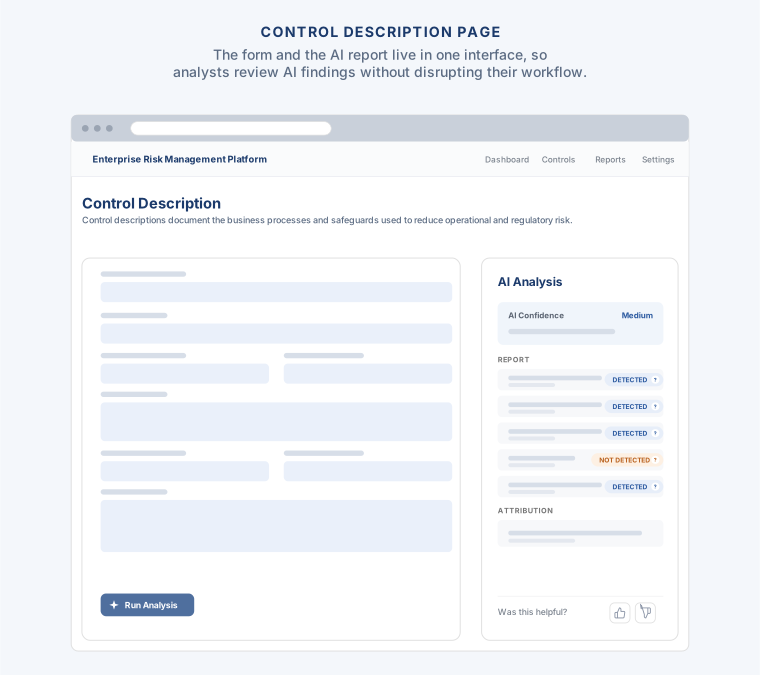
The AI evaluation was embedded directly alongside the authoring experience rather than presented as a separate workflow or chat interface. Analysts could review AI feedback while editing the control description, eliminating the need to switch contexts or navigate away from their work.
Analysis Breakdown
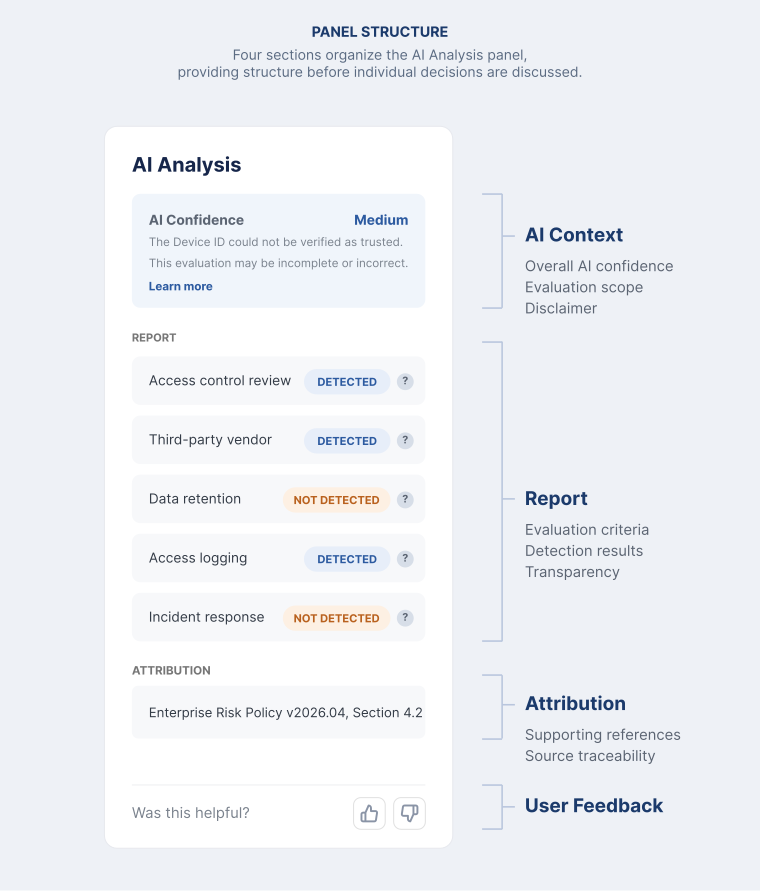
The AI Analysis panel was organized into four sections, separating AI context, evaluation results, supporting attribution, and user feedback into a clear, structured workflow.
Note: Interface mockups and workflows shown here are simplified abstractions created to illustrate interaction principles and layout strategy. They do not reflect final production code or proprietary system data.
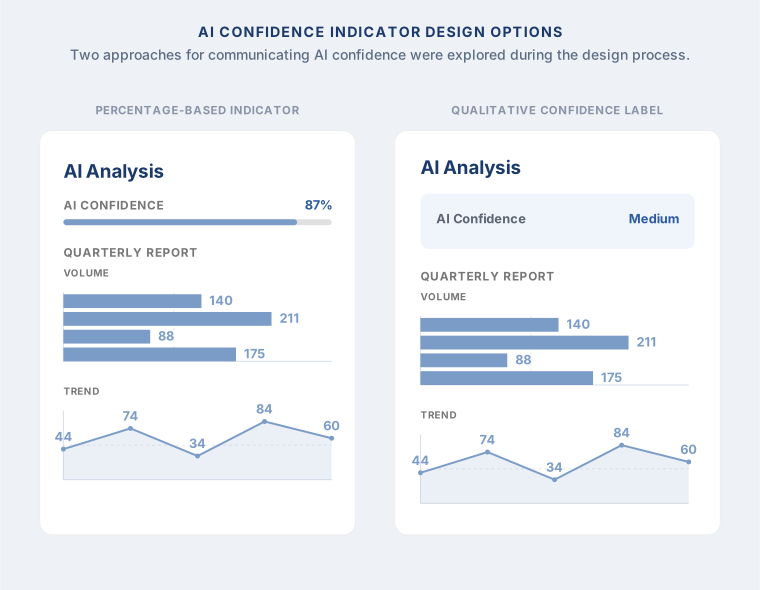
AI Confidence Indicator
Presenting AI confidence as a progress bar and percentage blurred the distinction between confidence and analytical results already shown throughout the interface. High, Medium, and Low communicated the same information while keeping confidence as supporting context.
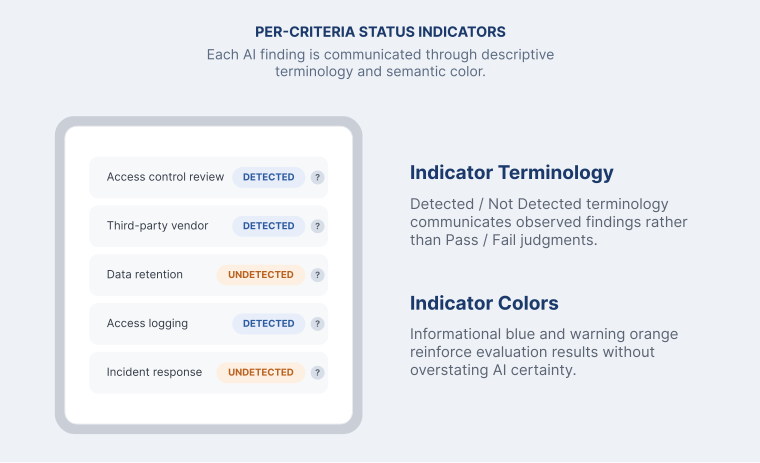
Per-Criteria Status Indicators
Control descriptions were evaluated against multiple quality criteria. The AI generated a report showing whether each criterion was detected within the description.
Status Indicator Terminology
Multiple terminology options were evaluated to communicate AI evaluation without implying certainty or correctness.
| Option | Consideration | Result |
|---|---|---|
| Pass / Fail | Implied a final judgment. | |
| Present / Missing | Described the criterion rather than the evaluation. | |
| Found / Not Found | Resembled search results. | |
| Detected / Not Detected | Framed the result as an evaluation rather than a definitive system status. | ✓ Final |
Status Indicator Colors
Multiple color options were evaluated using established UI semantics to reinforce AI evaluation without implying success or failure.
| Option | Consideration | Result |
|---|---|---|
| Green / Red | Implied success and failure. | |
| Blue / Orange | Communicated information and warnings. | ✓ Final |
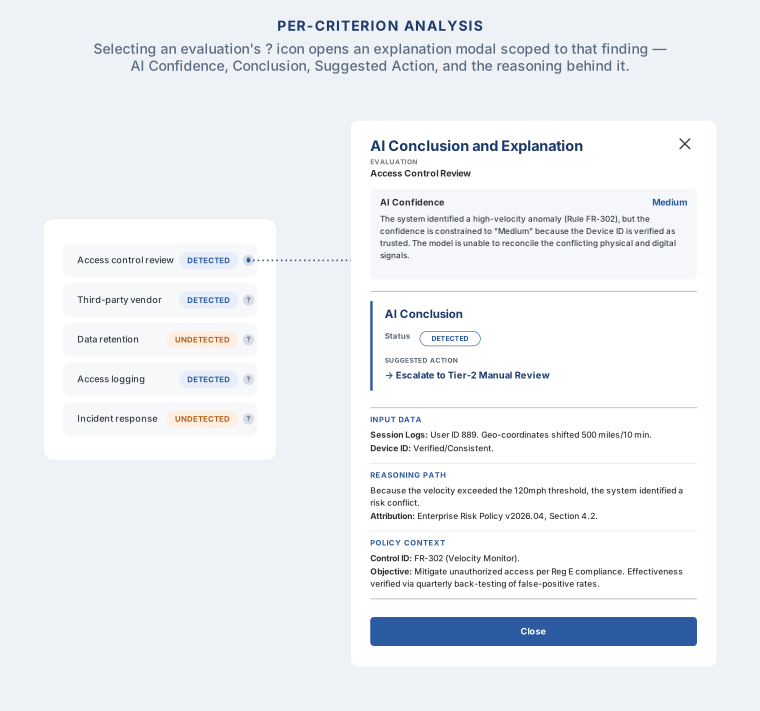
Per-Criteria Explainability
User research showed that AI findings alone were insufficient. Analysts wanted to understand how each conclusion was reached before acting on the recommendation. An on-demand explanation experience provided AI conclusions, supporting evidence, reasoning, and policy context without overwhelming the primary interface.
Impact
- Analysts incorporated the reasoning modal into their review workflow before making final decisions.
- Stakeholders reported improved clarity and faster review of AI-generated evaluations, with informal feedback indicating meaningful efficiency gains.
- Engineering handoff was completed on schedule, including full specifications for the reasoning modal and associated UI components.
Reflections
- Formal post-launch measurement was not in place, so long-term impact was not quantified at scale.
- Future work would include lightweight instrumentation earlier in the build process to capture usage and decision signals prior to launch.
- The primary constraint was not feature capability, but how AI outputs were structured and interpreted within the workflow.